
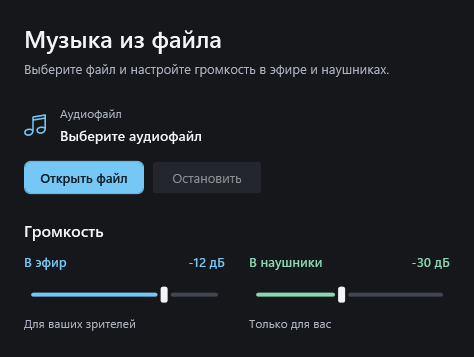
Music levels for your stream and headphones
Turn the music down in your headphones to hear footsteps in the game. Your viewers still hear it at the level you set for the stream.
Set up the mixerGo live on Twitch and YouTube at the same time, reduce microphone noise and save a recording of your game on your PC.
Offline installer · 0.5.7-preview · 1006 MB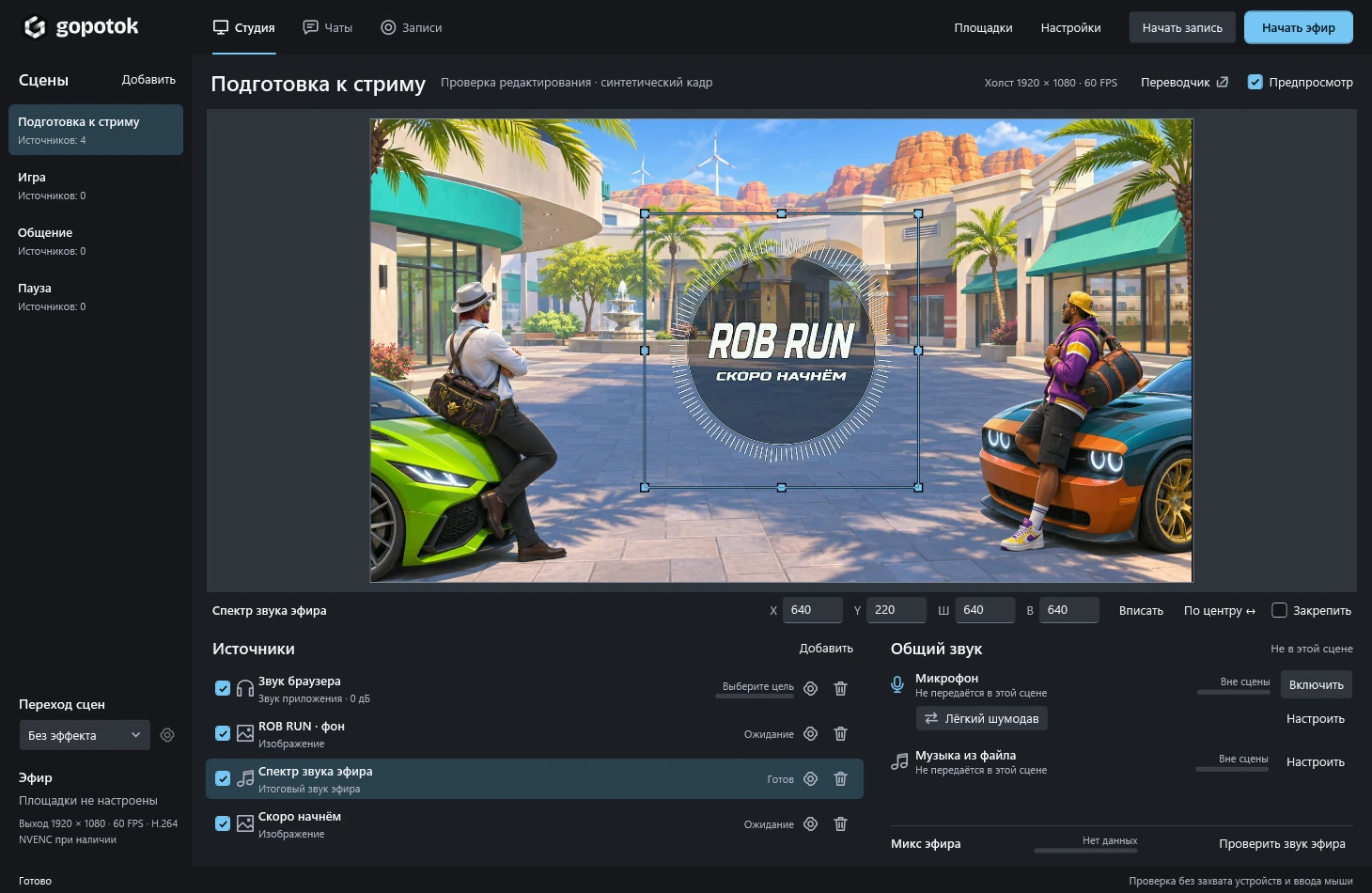
The Starting Soon scene in the editor. You can position and resize sources directly on the canvas.
Build a game scene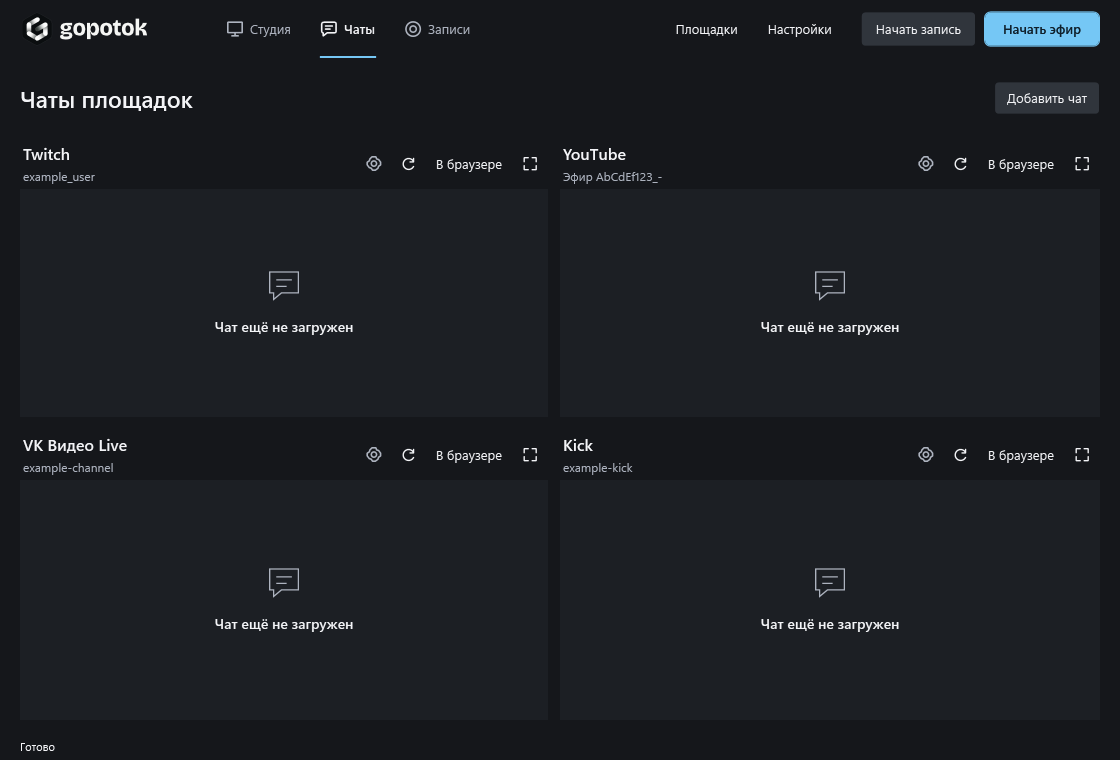
Twitch, YouTube, VK Video Live and Kick sit side by side. Expand any chat to focus on one channel.
Add your channels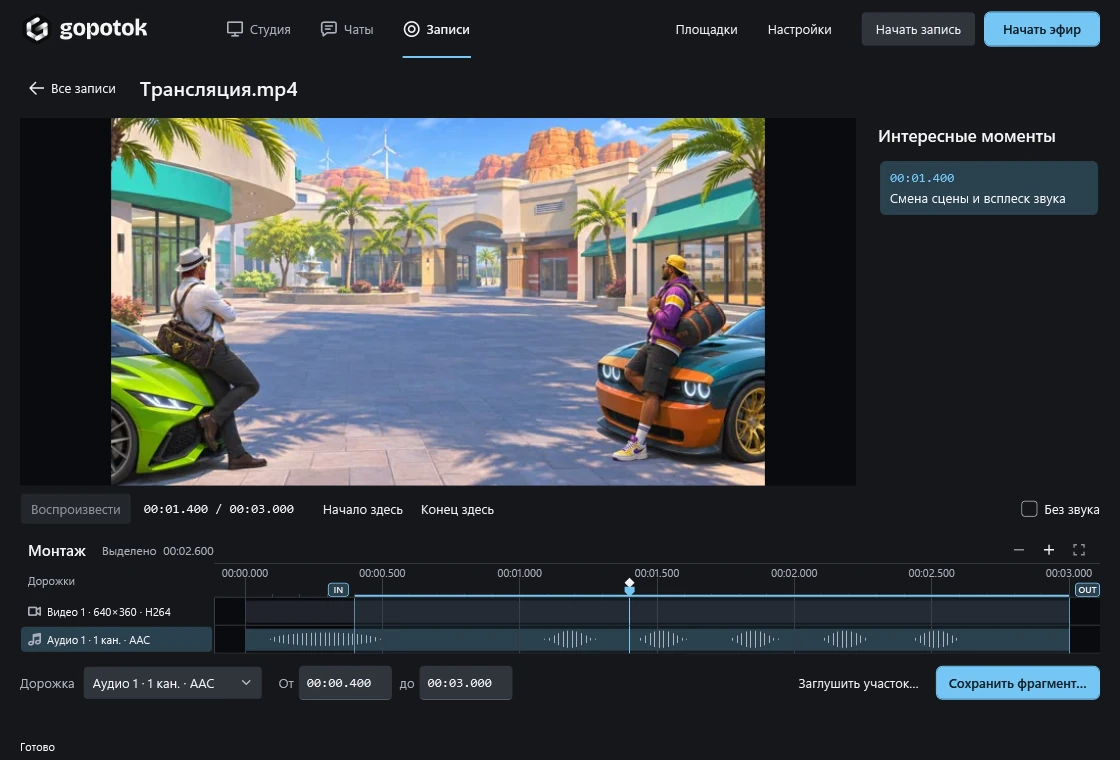
A timeline marker selects a highlight. Refine the clip at the playhead or enter the exact times.
Cut a clip Twitch
 YouTube
 VK Video Live
 Kick
The filter reduces steady background noise, such as the hum of a fan. gopotok processes your microphone audio on your PC before it reaches your stream or recording.
Set up noise suppression Turn the music down in your headphones to hear footsteps in the game. Your viewers still hear it at the level you set for the stream.
Set up the mixer Use timeline markers to find a moment after the stream. Set the start and end points and export the clip as a separate file.
How to export a clipAdd your game to a scene, make a test recording and connect your channel with a stream key.